Unlocking Creativity: How to Use SVG and Transparent Image Files for Your DIY Projects
Welcome to the world of creative possibilities with Mom to Be and You! Whether you're a seasoned crafter or just starting out, this article will guide you through the exciting world of using SVG and transparent image files. These versatile file formats are perfect for a wide range of DIY projects, from customizing your car to creating unique wall art. Let's dive in and explore how you can make the most of these files.
Understanding SVG and Transparent Image Files
SVG (Scalable Vector Graphics) is a file format that uses XML to define two-dimensional graphics. The key advantage of SVG files is their scalability; they can be resized without losing quality, making them ideal for both digital and print applications. On the other hand, transparent image files, typically in PNG format, allow for transparency, meaning you can place them on any background without a visible box around the image.
The Versatility of SVG Files
SVG files are incredibly versatile and compatible with many design software programs. Here are some popular ones:
- Cricut Design Space
- Silhouette Designer Edition
- SCAL (Sure Cuts A Lot)
- ScanNCut
These platforms support SVG files, allowing you to create, edit, and cut designs with precision. Whether you're a professional designer or a hobbyist, SVG files offer endless creative opportunities.
Transparent Image Files: Clear and Crisp
Transparent image files, usually in PNG format, are perfect for projects where you need a clear, crisp image without a background. These files are widely supported by various design and editing software, making them a go-to choice for many creators. They are especially useful for web design, social media graphics, and any project where you want to seamlessly blend an image into a background.
Practical Applications and Creative Ideas
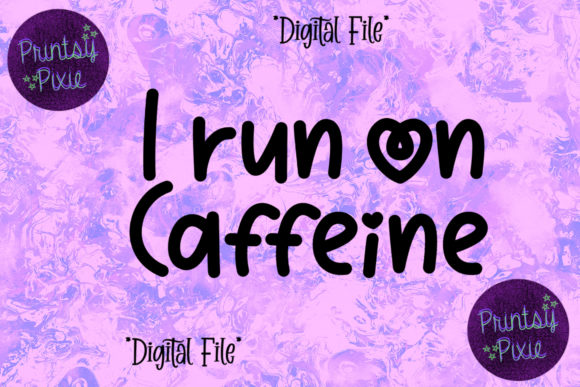
With the right tools and a bit of creativity, you can use SVG and transparent image files to customize a wide range of items. Here are some inspiring ideas to get you started:
- Car Interiors and Exteriors: Add a personal touch to your vehicle with custom decals, emblems, or even a full wrap. SVG files ensure that your designs look sharp and professional.
- Laptops and Other Devices: Create unique skins and stickers for your laptop, tablet, or smartphone. Transparent images can be used to add subtle details or bold statements.
- Water Bottles and Tumblers: Personalize your drinkware with names, quotes, or fun designs. Both SVG and transparent image files work well for this purpose.
- Mirrors and Wall Art: Transform plain mirrors into works of art with intricate vinyl designs. Use transparent images to create layered, multi-dimensional effects on your walls.
- School Supplies: Make back-to-school season more exciting by customizing notebooks, folders, and planners. SVG files are perfect for detailed and scalable designs.
- Boats and Bikes: Add a splash of personality to your boat or bike with custom decals and stickers. Transparent images can be used to create seamless, integrated looks.
- Skateboards and Helmets: Stand out at the skate park with custom-designed boards and helmets. SVG files ensure that your designs are durable and high-quality.
- Cellphones and Cases: Create unique phone cases and accessories with your own designs. Transparent images can be used to add a touch of elegance or fun.
- T-Shirts and Apparel: Print your designs on t-shirts, hoodies, and other apparel. SVG files are ideal for creating clean, professional-looking graphics.
- Gaming Consoles and Accessories: Customize your gaming setup with unique skins and decals. Transparent images can be used to add subtle details or bold accents.
- Notebooks, Bullet Journals, and Planners: Personalize your organizational tools with custom covers and pages. SVG files are perfect for creating detailed and scalable designs.
Common Misunderstandings and Tips
While SVG and transparent image files are powerful tools, there are a few common misunderstandings and tips to keep in mind:
- Resolution vs. Scalability: While transparent images (PNGs) have a fixed resolution, SVG files can be scaled up or down without losing quality. This makes SVGs ideal for projects that require different sizes.
- File Compatibility: Always check the compatibility of your design software with SVG and transparent image files. Most modern software supports these formats, but it's always good to double-check.
- Layering and Transparency: When working with transparent images, pay attention to layering and opacity settings. Properly managing these elements can help you achieve the desired effect in your designs.
- Test Before Applying: Before applying your designs to a final product, it's a good idea to test them on a small, inconspicuous area. This helps ensure that the design adheres properly and looks as intended.
Conclusion
Whether you're looking to add a personal touch to your belongings or start a new creative project, SVG and transparent image files from Mom to Be and You are invaluable resources. With their versatility and compatibility, these files open up a world of possibilities for both beginners and experienced crafters. So, grab your design software, let your imagination run wild, and start creating!
For more information and to access the SVG and transparent image files, visit Mom to Be and You. Happy crafting!